In the official MCP Registry · v1.20.1

Every AI you use,
remembering the same you.

Todas tus IA,
recordando a la misma persona.

Tell ChatGPT you're allergic to shellfish. Open Claude — it has no idea. EleSync keeps one memory on your own computer that every assistant reads from. No cloud. No account. No subscription.

Free and open source. Nothing to sign up for.
Windows: unzip the folder and run ele.exe inside it. Keep the folder together — the exe needs the files beside it.
Windows may warn “unknown publisher” — normal for a new open-source app. Click More info → Run anyway.
Developer? Install it with pip →

In the MCP Registry
Zero data collection
MIT licensed
7 languages
786 tests passing
Getting started

Three steps, then you forget it's there.

Nothing to configure. No server to run, no database to manage, no account to create.

Step one

Install it

Download for your computer and open it. Your vault opens in your browser — no terminal, no config files, no setup.

Step two

Bring your history

Point it at a ChatGPT export or a Google Takeout file. Everything your assistants already knew about you moves in. Import twice and you still won't get duplicates.

Step three

That's it

Tell one assistant something. The next one already knows. Your memory follows you instead of starting over.

The dashboard

You can see everything it remembers.

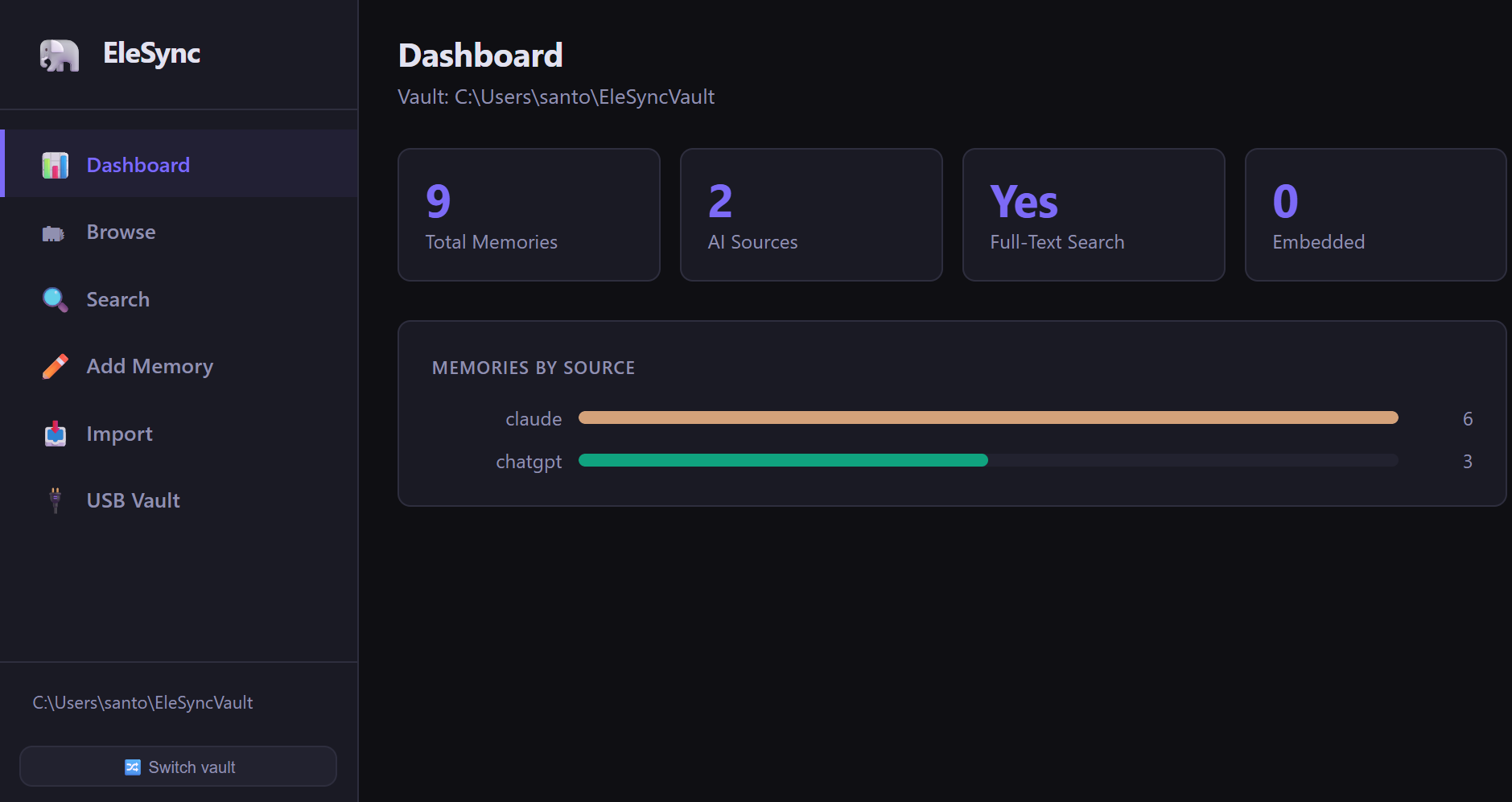
Your memory opens in your browser — search it, edit it, add to it, delete from it. It runs on your machine and makes no outside requests. You never have to touch a command line.

127.0.0.1:7477 — your vault, on your machine
The EleSync dashboard Overview: total memory count, a breakdown of memories by which assistant wrote them, and feature status.
What it does

Small tool. Surprising amount of range.

All of it runs on your machine. None of it phones home.

Remembering

  • Move your history inBring across a ChatGPT export or a Google Takeout file. Import the same one twice — you still won't get duplicates.
  • Files itself awayDrop an export into your Downloads folder and EleSync picks it up on its own.
  • Finds what you meantOptional smarter search that turns up the right memory even when you word it completely differently.
  • Catches contradictionsWhen two assistants believe different things about you, EleSync shows you both — with who said what, and when — and you pick.

Staying in control

  • Decide what each AI seesLet one assistant read your writing notes but never your medical ones. You set the boundaries per assistant.
  • Let one look but not touchGive an assistant read-only access. It can use your memory; it can't change it.
  • Keep a recordEvery time an assistant reads, writes, or forgets something, it goes in a log on your disk. You can see exactly who did what.
  • Get the summaryOne view of everything your vault knows about you — handy before you start a new conversation.

Owning it

  • They're just filesNot a database you can't open. Plain text on your own disk, readable without EleSync, yours to take anywhere.
  • Lock it with a passphraseEncrypt the whole vault. Your assistants still read it live, and nothing readable ever touches the disk.
  • Carry it on a USB stickPlug it in on another machine and your memory comes with you.
  • Sync it however you likeIt's a folder — so iCloud, Dropbox, Syncthing, or Git all work. Encrypted vaults are safe to sync through services you don't trust.
  • Back up to the cloudCompressed, optionally encrypted archives push to S3, B2, GCS, Drive or SFTP via rclone — no cloud SDK, no account required.
  • Summarize with an LLMAsk a local Ollama model or OpenAI/Anthropic to digest a slice of your vault. Privacy warning before anything leaves your machine.
  • Leave whenever you wantExport the lot to CSV or JSON in one click. There's no lock-in to escape.

Living with it

  • Works with the assistants you useClaude, Cursor, Windsurf, ChatGPT and any MCP client connect to the same vault — reading and writing your shared memory.
  • Speaks your languageEnglish, Spanish, French, German, Portuguese, Chinese and Japanese.
  • Shows you the connectionsA graph view of your memory, linking what's related so you can see the shape of it.
  • Reach it from the sofaRun it on one computer and open your vault from your phone on the same network.
Privacy

Your data is yours. Full stop.

EleSync runs entirely on your computer. We can't see your memories, because they never leave it — that's how it's built, not a promise we're asking you to take on trust.

No accounts No telemetry No analytics No ads
☕ Buy me a coffee

No account needed for that either.

For developers

The terminal half.

Python 3.10+, MIT licensed, no third-party services. Everything above is also a CLI.

Install

$ pip install elesync

Then ele onboard to wire up your MCP clients, and ele web for the dashboard.

Everything included

Semantic search · encryption · auto-import · web UI auth · mTLS — all in the base install, no extras needed.

Transports

stdio out of the box for local clients (Claude, Cursor, Windsurf, etc.). Remote clients — including ChatGPT's Developer Mode connector — use ele serve --transport http --allowed-host.

MCP tools exposed

  • recall
  • remember
  • forget
  • history
  • memory_status
  • list_scopes
  • find_conflicts
  • audit_log

Hardening

ELESYNC_AUDIT=1 turns on the append-only audit trail. ELESYNC_SCOPES=readonly:… makes a client read-only, enforced at the service layer rather than by convention.